
In this article:
Poll Everywhere 2.0 is a redesigned, faster version of Poll Everywhere, built from the ground up with AI at its core. It’s more intuitive and efficient, simplifying how presenters create, manage, and share polls.
This new experience features a modern, streamlined interface while preserving the essential functionality you already know, creating polls, presenting, syncing courses, and managing results—all now enhanced by intelligent workflows and smarter tools.
Why Poll Everywhere 2.0?
Poll Everywhere 2.0 was developed to meet the growing need for:
- Smarter workflows
- More powerful reporting
- A cleaner, more intuitive presenter experience
The new interface doesn’t just make things faster—it makes them better. By integrating AI-powered features and performance enhancements, Poll Everywhere 2.0 enables a more engaging and efficient experience for both presenters and participants.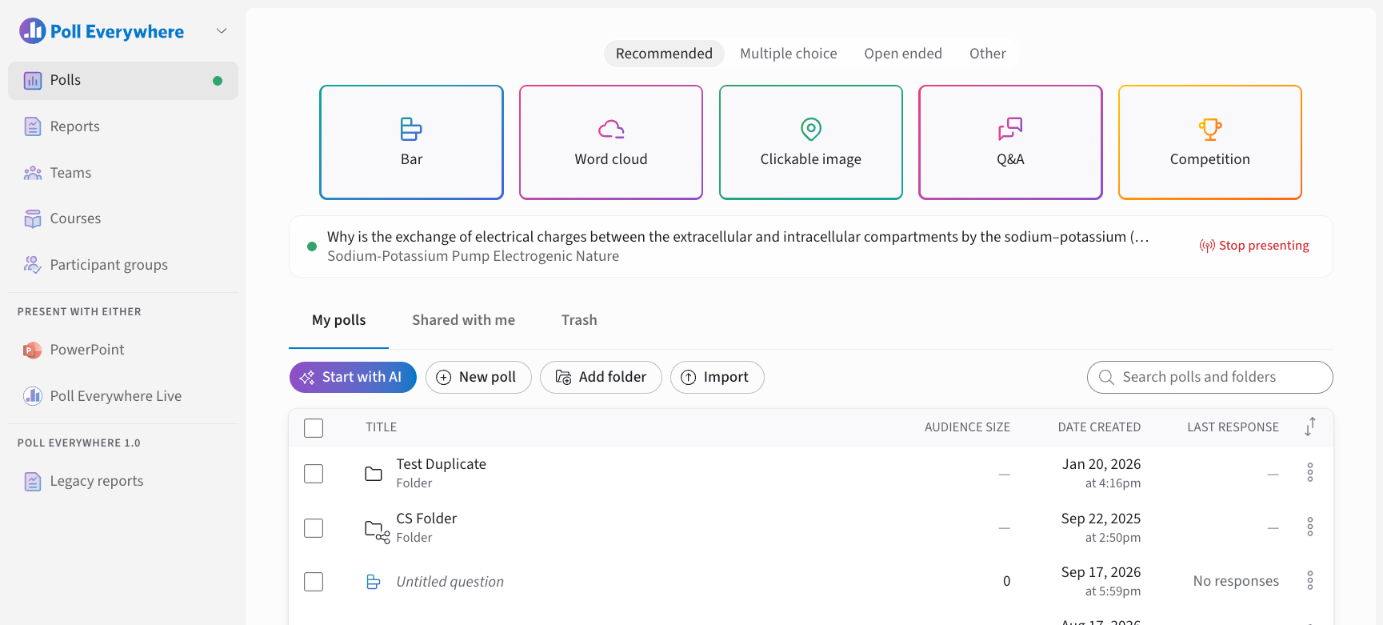
Who is the AI provider?
Poll Everywhere 2.0 uses Google Gemini to power its AI features.
How does AI help me?
AI is integrated into poll creation and editing to reduce manual setup and enhance creativity. With Poll Everywhere 2.0, AI can:
- Generate new questions, quizzes or whole polls from a topic, prompt or pasted document with Start with AI
- Edit a whole poll with the AI Assistant (for example, Turn this poll into a quiz with correct answers)
- Adjust complexity to match your audience's needs
AI supports your workflow—it doesn’t replace it. Whether you’re quickly drafting polls or fine-tuning your content, AI helps you get from idea to engagement faster.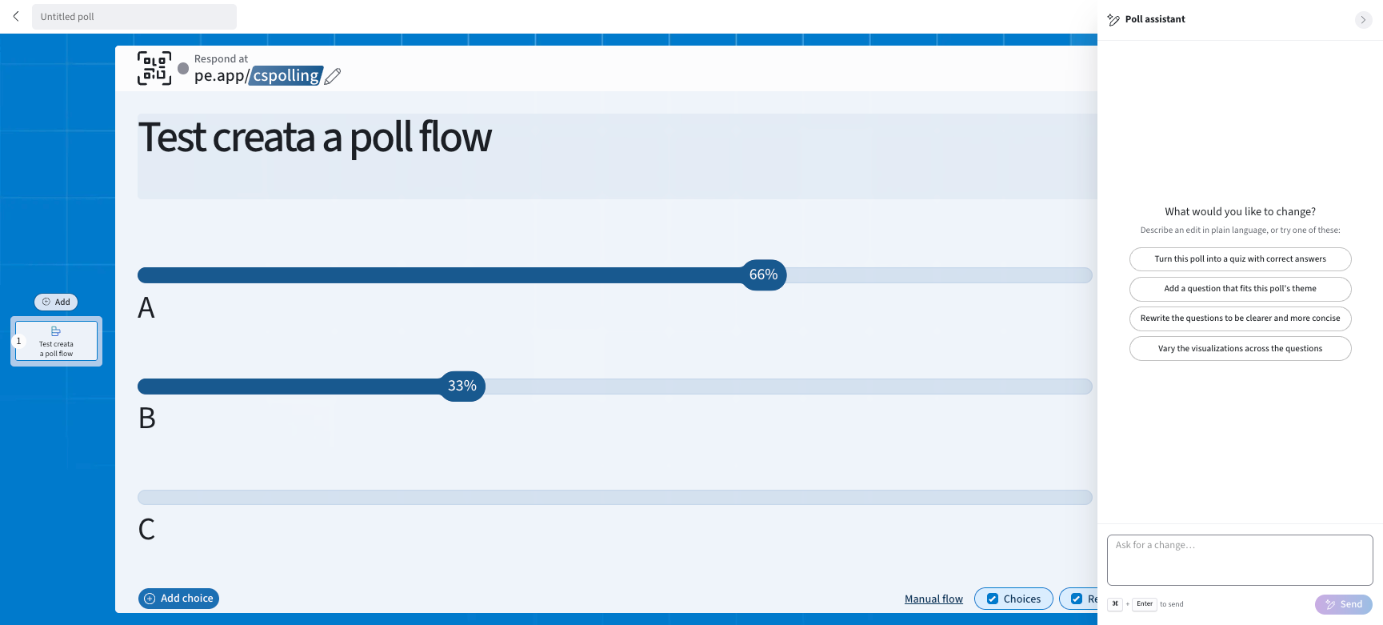
How is it different from Poll Everywhere 1.0?
While 1.0 was a trusted tool for engagement, 2.0 enhances everything with smarter workflows and a redesigned interface. It introduces AI-powered poll creation, inline editing, simplified navigation, and expanded participation features. It’s built to scale with evolving audience needs.
| Feature | Poll Everywhere 1.0 | Poll Everywhere 2.0 |
|---|---|---|
| Interface | Classic interface layout | Streamlined, modern, AI-integrated design |
| Poll Creation | Full manual poll setup | AI-assisted creation (Start with AI) and an AI Assistant to edit whole polls |
| Participation | Login optional | Anonymous participation by default. Restrict to your organization, teams, courses or participant groups |
| Instructor setup | Available | Built-in sharing with course instructors |
| Reporting | Foundational reporting tools | Customizable reports (overview, question and participant views), CSV/Excel export and report snapshots |
| Integrations | PowerPoint, Keynote, Google Slides, LMS | Microsoft 365 PowerPoint add-in, Poll Everywhere Live (any slideware), Canvas, D2L Brightspace, Blackboard, Moodle |
| Account Sign-in | Email + Password credentials, SSO | Magic link, Google, Microsoft, Apple or SSO |