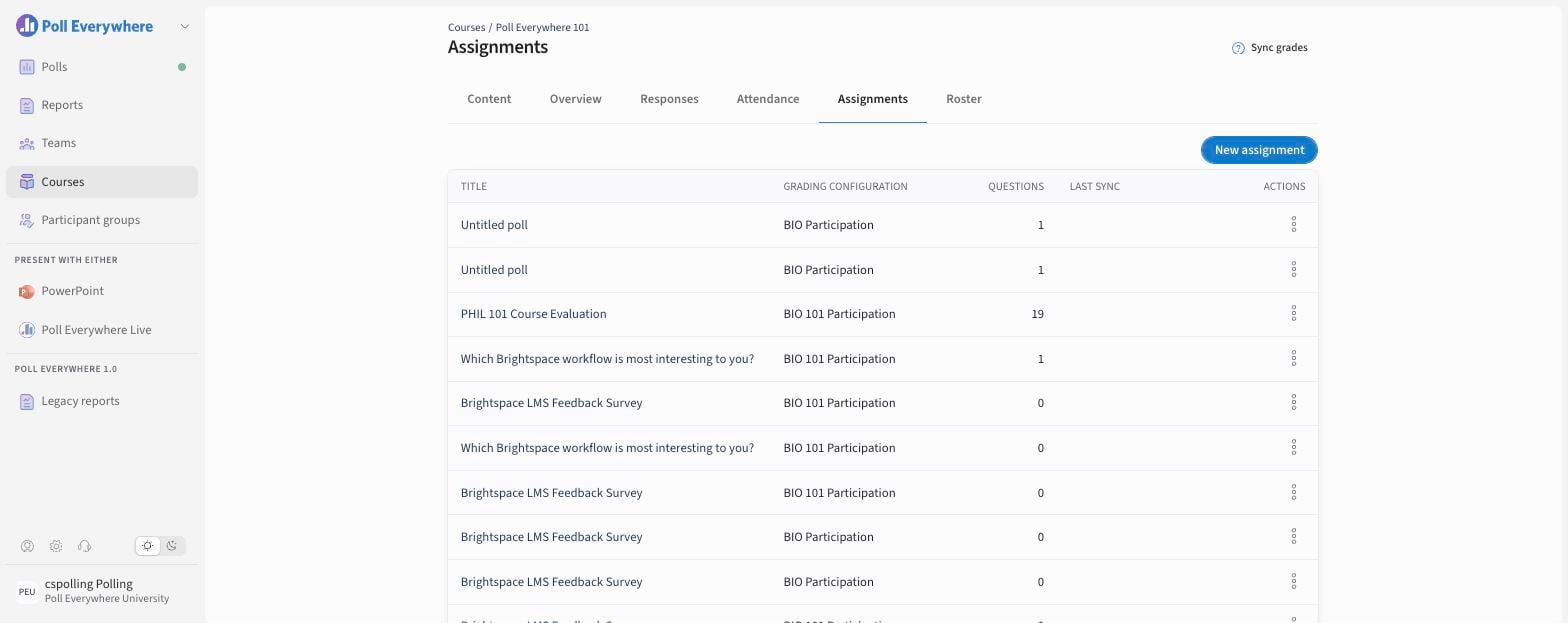
Poll Everywhere for LMS allows you to collect grades for participation, correctness, and attendance by creating assignments and syncing them to your LMS gradebook. Follow the steps below in the Video recording to create an assignment and push grades seamlessly. As a best practice:
- You can create multiple assignments for different sessions, topics, or weeks.
- Assignments can include a mix of activity types (e.g., multiple choice, open-ended, and attendance).
- Be sure to set your grading configuration before syncing grades.
- Grades are only synced for students who have completed their Poll Everywhere participant registration and are matched in the course roster.
Step by step
- Open Courses, select your course and open the Assignments tab.
- Select New assignment, choose the polls or questions, and pick a grading configuration.
- After students respond, select Sync grades. The Last sync column shows when grades were last pushed to your LMS.