
Poll Everywhere 2.0 is available in 32 languages besides English. Presenters and participants each see the app in their own language, so your audience can join and respond in the language they're most comfortable with. Translations are in beta, so you may occasionally see wording that isn't final.
Poll Everywhere picks a language in this order:
- The language you chose yourself, in the language menu or in My settings.
- For new accounts and for guests joining a poll, the language set in your browser, if we support it.
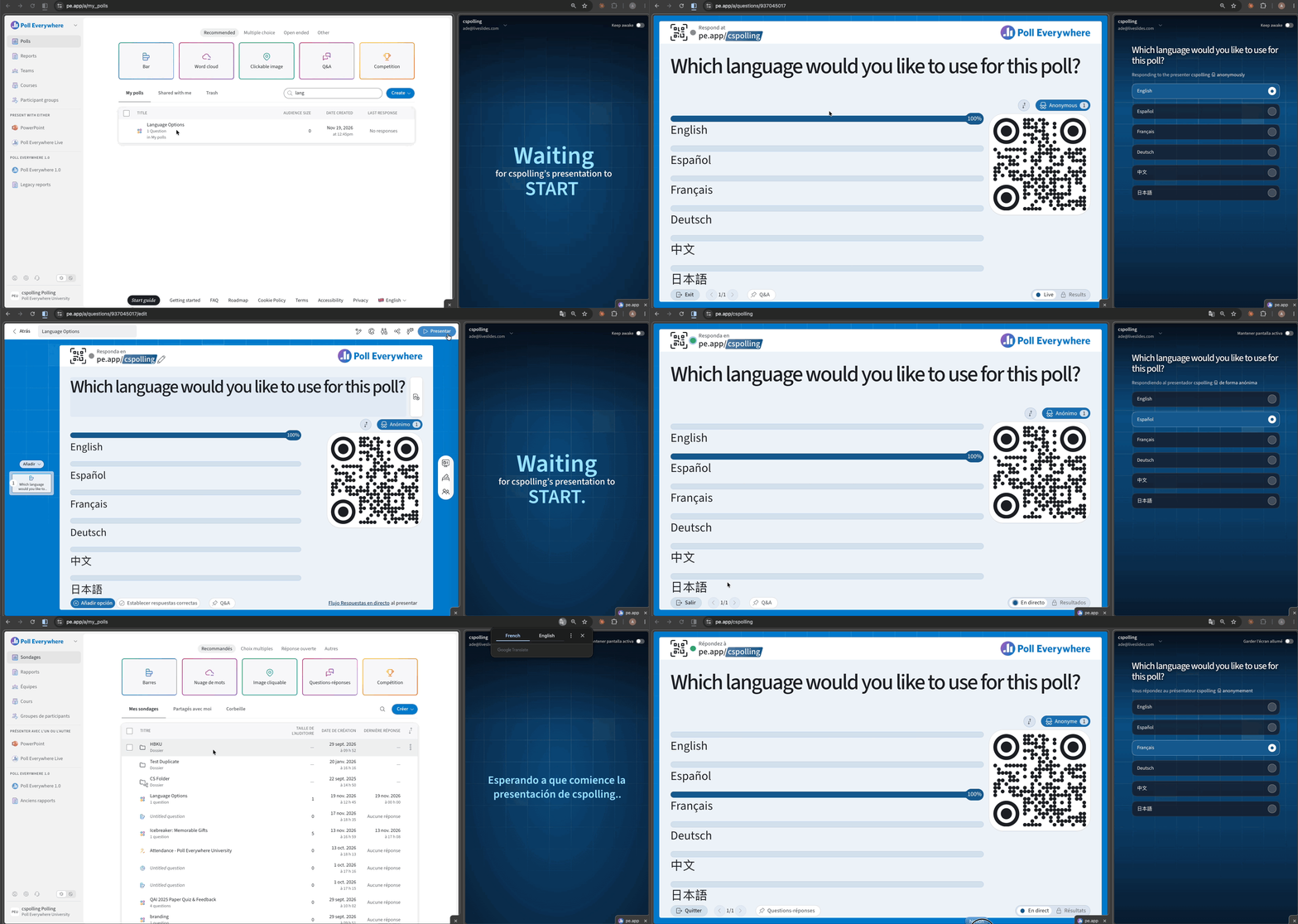
Accounts created before November 19, 2026, default to English and switch only when the person picks another language.
If we choose a language from your browser, a notice titled This page is in "followed by the language name appears at the bottom right of the page". It has a Switch to English button and a Report a translation issue button, and you can dismiss it.
1. To change your language as a presenter, you can use either of these options:
Option 1: from the page footer
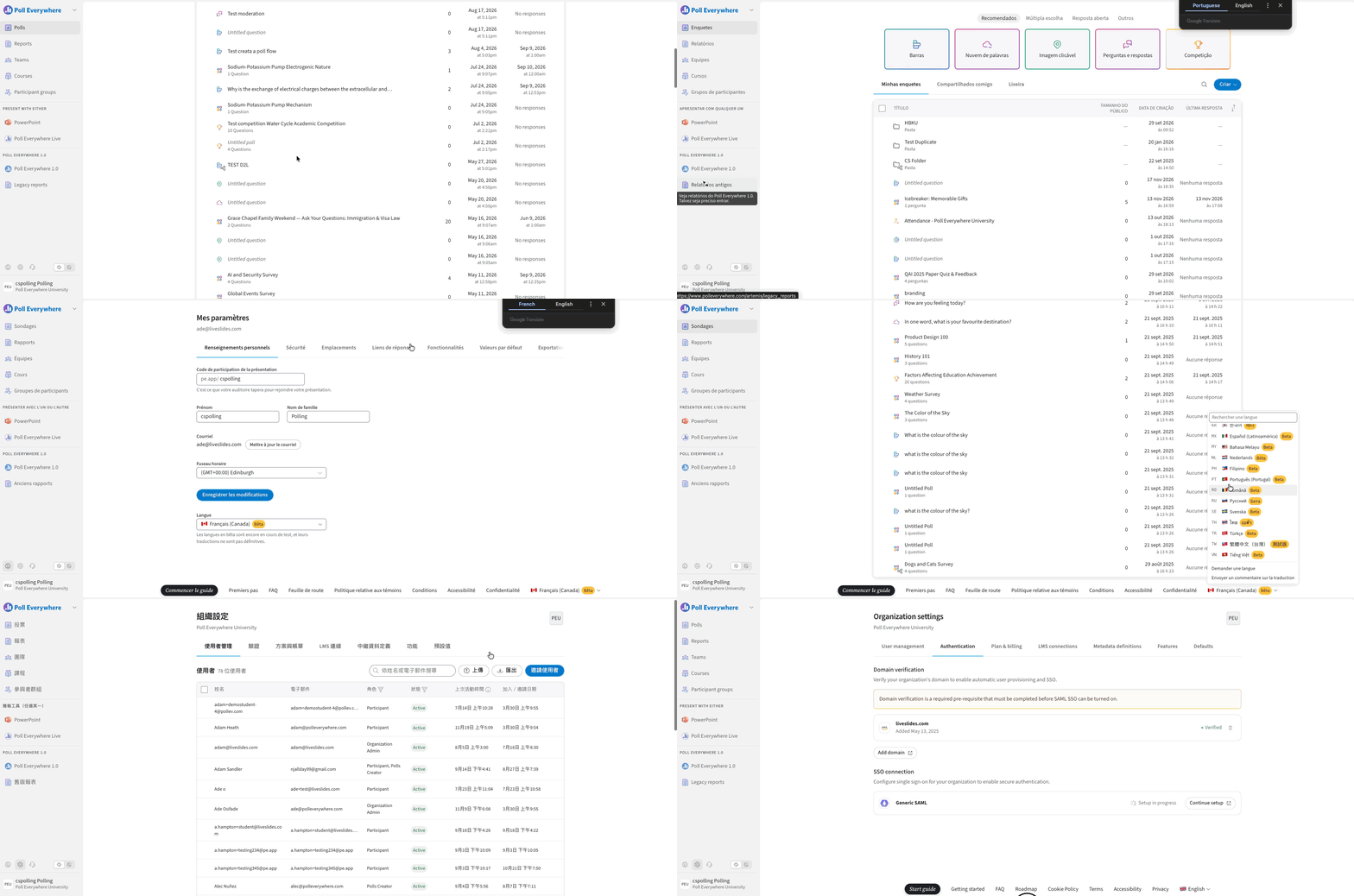
- Scroll to the bottom of any page that has a footer, such as Polls, Reports or My settings. Select the language button at the right end of the footer. It shows a flag, the current language and, for a beta language, a Beta badge.
- In the list that opens, search or scroll for your language and select it.
Option 2: from My settings
- At the bottom of the left sidebar, select the person icon to open My settings.
- On the Personal information tab, find the Language field below the Save changes button and select it.
- In the list that opens, search or scroll for your language and select it.
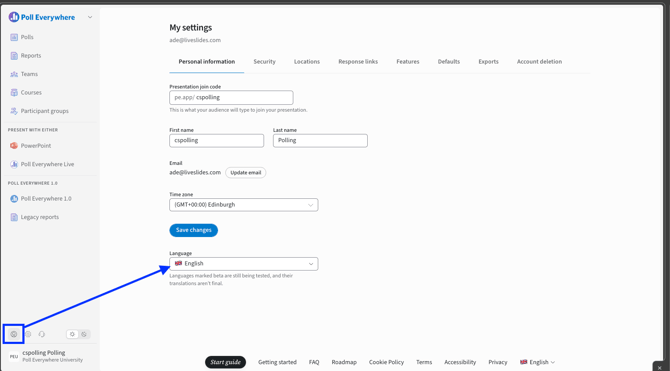
The page switches to your language straight away, and you don't need to select Save changes. The list shows each language in its own name, with a flag and a Beta badge where it applies.
Your language also applies to the presentation screen, including labels such as Respond at. The questions and answer choices you wrote stay exactly as you wrote them.
2. To change your language as a participant:
- At the top left of the screen, select your name to open the menu.
- Select Language. The menu item shows your current language, for example Language: English.
- In the Language window, search or scroll for your language and select it.
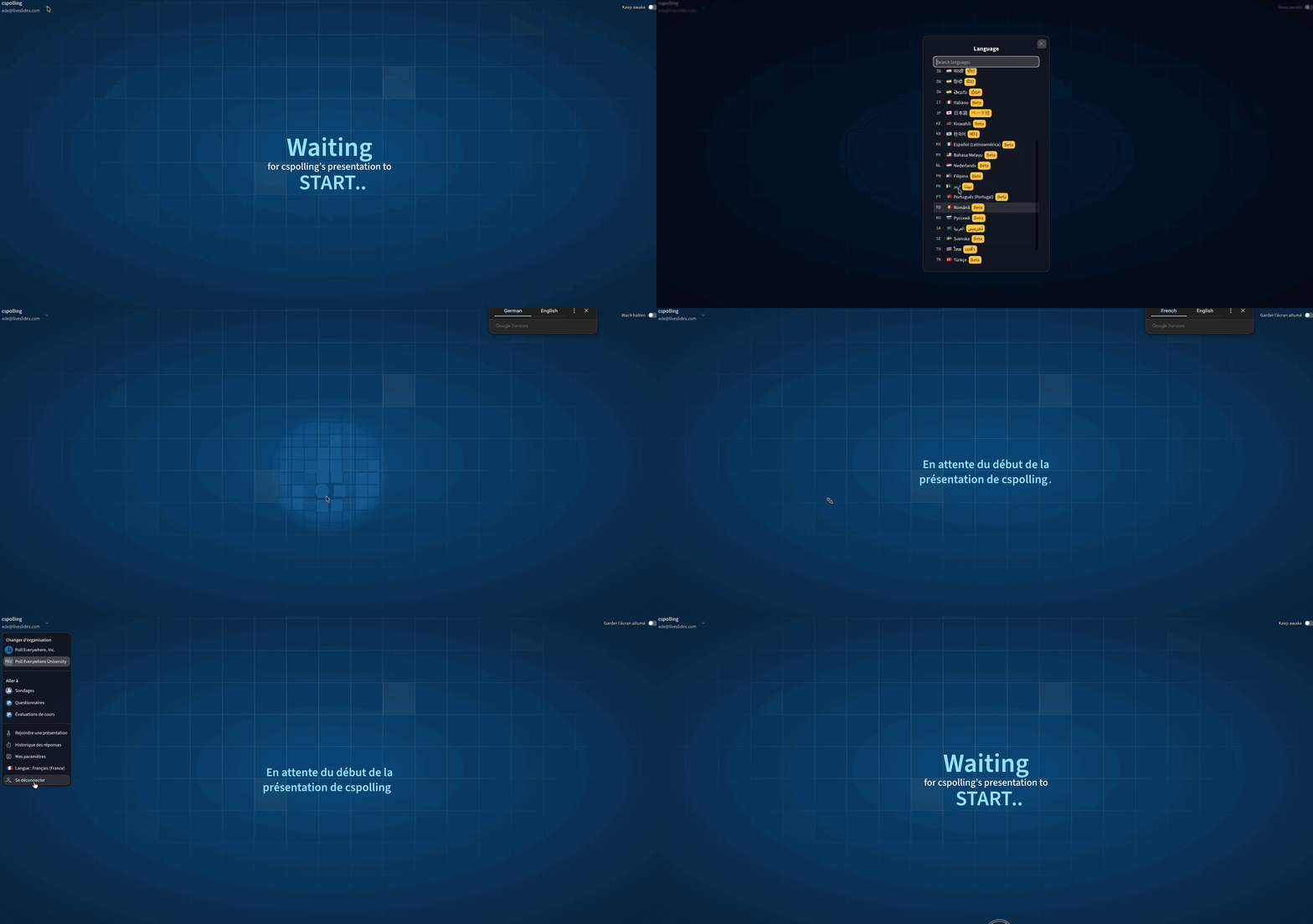
The screen switches to your language straight away. The poll's questions and answer choices stay as the presenter wrote them.
Participants who join without signing in (guests) can use the language button in the footer of the join page. Their choice is kept in that browser.
Supported languages
| Language | Native name |
|---|---|
| English | English |
| Arabic* | العربية |
| Chinese, Simplified | 简体中文 |
| Chinese, Traditional – Hong Kong | 繁體中文(香港) |
| Chinese, Traditional – Taiwan | 繁體中文(台灣) |
| Danish | Dansk |
| Dutch | Nederlands |
| Filipino | Filipino |
| Finnish | Suomi |
| French – Canada | Français (Canada) |
| French – France | Français (France) |
| German | Deutsch |
| Greek | Ελληνικά |
| Hindi | हिन्दी |
| Indonesian | Bahasa Indonesia |
| Italian | Italiano |
| Japanese | 日本語 |
| Korean | 한국어 |
| Malay | Bahasa Melayu |
| Marathi | मराठी |
| Portuguese – Brazil | Português (Brasil) |
| Portuguese – Portugal | Português (Portugal) |
| Romanian | Română |
| Russian | Русский |
| Spanish – Latin America | Español (Latinoamérica) |
| Spanish – Spain | Español (España) |
| Swahili | Kiswahili |
| Swedish | Svenska |
| Telugu | తెలుగు |
| Thai | ไทย |
| Turkish | Türkçe |
| Urdu* | اردو |
| Vietnamese | Tiếng Việt |
- Arabic and Urdu read right to left and are available on participant screens only for now.
Good to know
- Translations are in beta. Each beta language has a Beta badge, written in that language. If wording looks off, open the language menu in the footer or in My settings and select Send translation feedback. That option appears when you're using a language other than English.
- To ask for a language we don't have yet, open the same menu and select Request a language.
- Content that people write isn't translated. That includes poll titles, questions and answer choices, and some parts of the app, such as plan and billing details and the single sign-on setup screens, can stay in English.
- Dates and times follow your language.
- Arabic and Urdu are available for participants only for now. Presenter screens stay left to right.
- Emails from Poll Everywhere are always sent in English.
- PDF reports show English text for Arabic, Urdu, Hindi, Marathi, Telugu and Thai.
- Some report and spreadsheet exports stay in English.