
Poll Everywhere’s integration with Canvas allows you to sync your course roster and configure grading preferences for activities like participation, attendance, and correctness.
Note: You can create multiple grading configurations to support different types of assignments or participation metrics. Changes made to grading configurations do not retroactively apply to already-synced assignments. Be sure to set this up before syncing grades.
Step by step
- Open Courses and select your course.
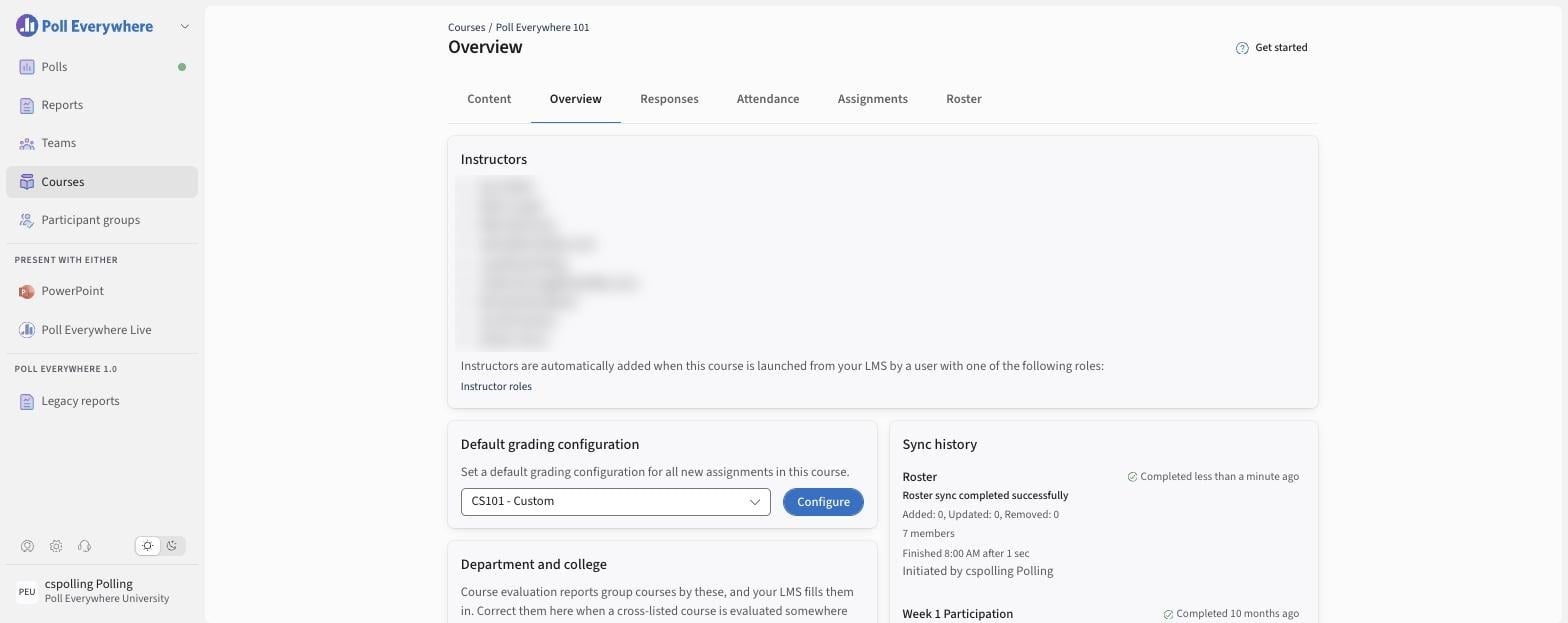
- On the Overview tab:
- Default grading configuration: pick a configuration, or select Configure to create or edit one ("Set a default grading configuration for all new assignments in this course.").
- Sync history: see each roster sync (for example Roster sync completed successfully, with Added / Updated / Removed counts), who initiated it and when.
- The roster syncs automatically from your LMS. See members on the Roster tab.
The same steps apply to every supported LMS (Canvas, D2L Brightspace, Blackboard and Moodle).