
Poll Everywhere 2.0 integrates directly with Microsoft PowerPoint via the Microsoft 365 Add-in; no separate download is required. This integration works seamlessly on both Windows and macOS and allows you to insert, customize, and present polls directly from your slide deck.
Start from Poll Everywhere: select PowerPoint under Present with either in the left navigation, then select Get the add-in (Install once from Microsoft AppSource, then build and present polls without ever leaving PowerPoint).
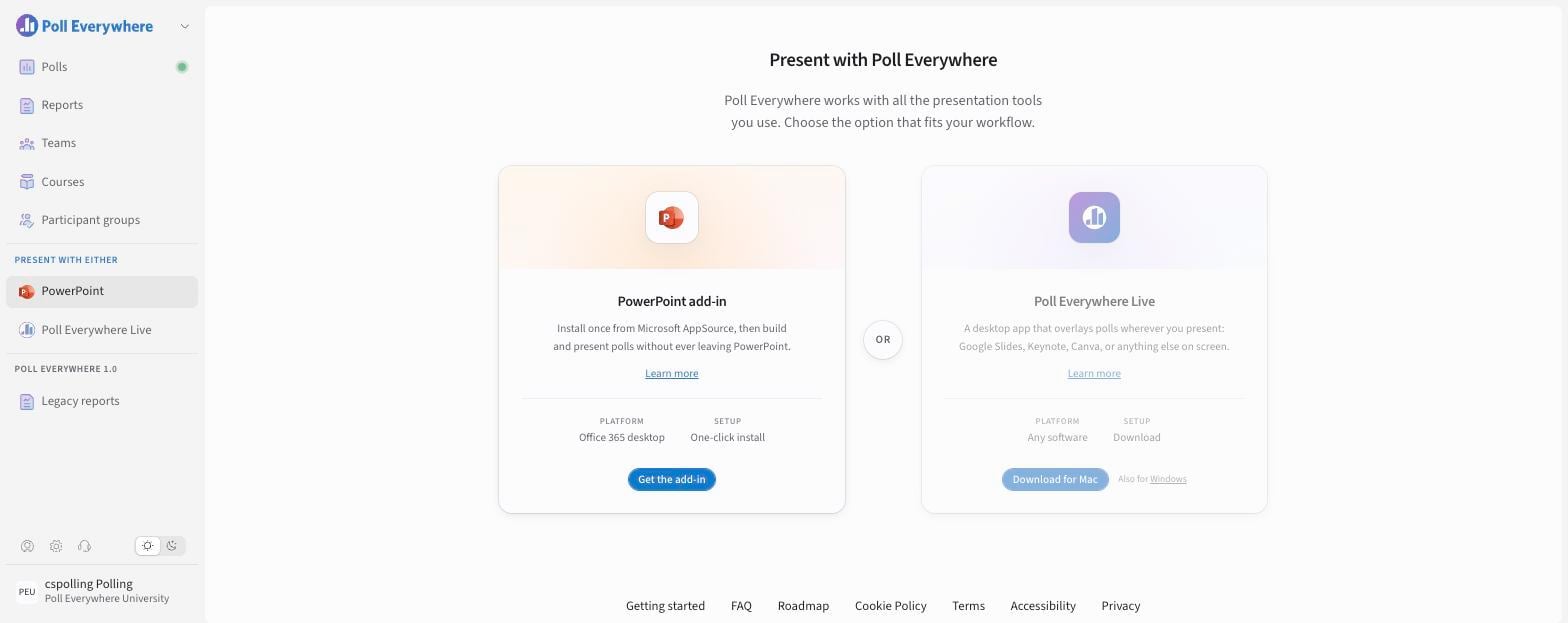
To install:
- In PowerPoint, go to the Home tab.
- Open the Office Add-ins Store.
- Search for Poll Everywhere 2.0.
- Select the add-in from the search results and click Add.
- Complete the login process using your Poll Everywhere account credentials.
Once installed, a Poll Everywhere tab will appear in your PowerPoint ribbon, giving you access to poll creation, insertion, and presentation tools directly within your deck.
If you don't see PowerPoint in the left navigation, it may be hidden in My settings → Features → PowerPoint navigation, or by your administrator.
If you have any questions or run into issues, please contact the Technical Support team
For step-by-step video instructions, refer to the training video below: