
In this article:
Poll Everywhere sessions use a join code to allow participants to access your presentation and respond to activities. This join code is displayed at the top of your questions when presenting and can be customized from your profile settings.
What is a Join Code?
A join code is a short and memorable identifier that participants enter to join your session. It forms part of your unique Poll Everywhere URL (e.g., pe.app/YourCode) and is shown at the top of your slides when you present.
Participants can visit this link from any device—laptop, phone, or tablet—to submit their responses.
How to Change Your Join Code
To update your join code:
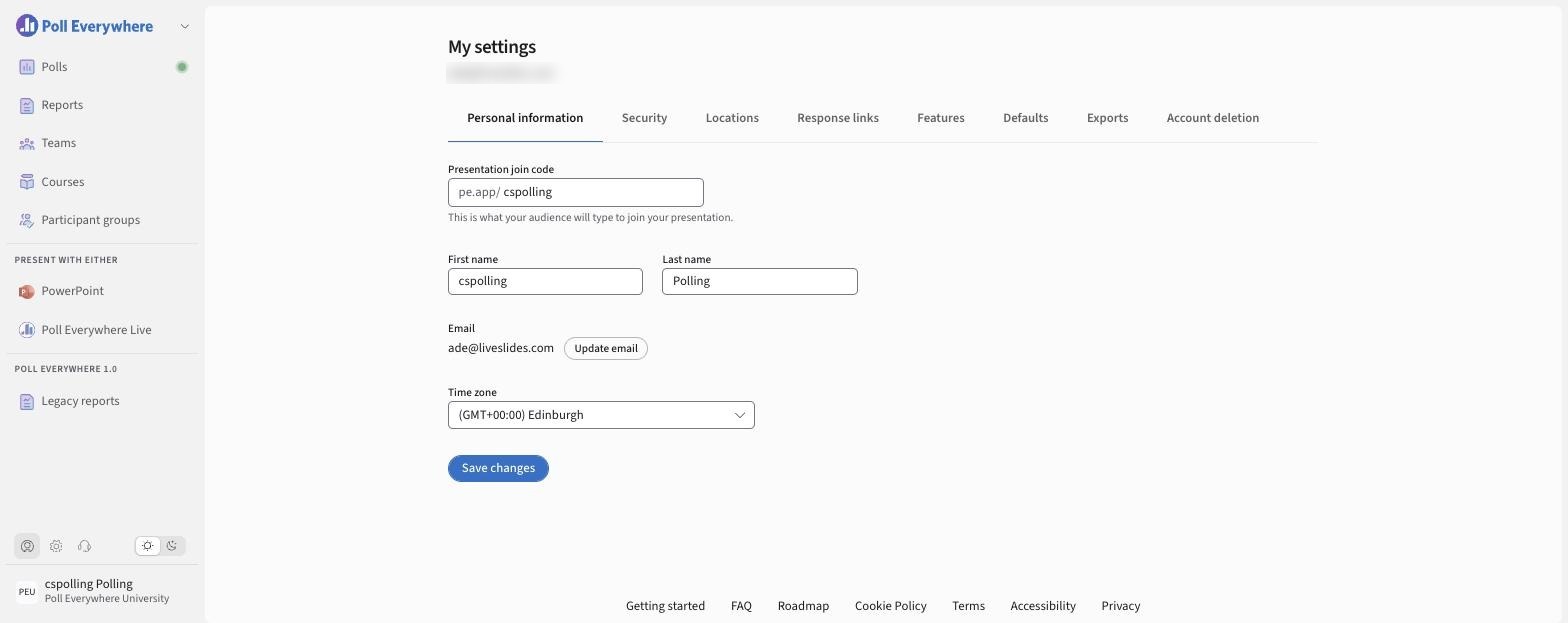
From My settings
- Select the My settings icon (person icon, bottom left).
- On Personal information, edit Presentation join code ("This is what your audience will type to join your presentation.").
- Select Save changes.
From the editor
Select the pencil next to Respond at pe.app/yourcode at the top of any slide.
Your new code will immediately be reflected on all future presentations and response links.
Join codes must be unique and may only contain letters and numbers. If the code is already in use, you’ll be prompted to choose another.
When to Change Your Join Code
You might want to update your join code if:
- You’re transitioning to a new semester or project
- You want to personalize it for a particular event
- Your previous code is too long or hard to remember