
Poll Everywhere 2.0 gives you control over how results look, how the slide is styled, and how participants can respond.
In this article
- Visualizations
- Designing your poll
- Response settings
- Timers and reveal
- Leaderboards
Visualizations
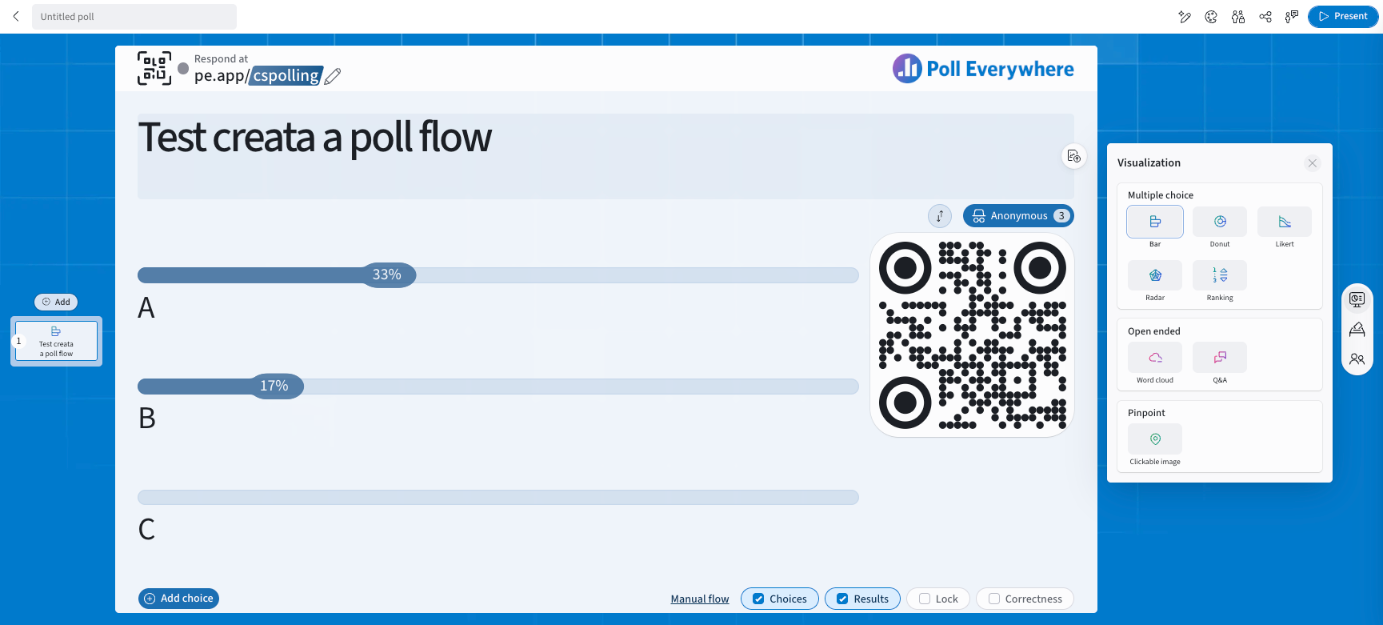
Open Visualization on the right rail to switch chart type at any time.
| Group | Types |
|---|---|
| Multiple choice | Bar, Donut, Likert, Radar, Ranking |
| Open ended | Word cloud, Q&A |
| Pinpoint | Clickable image |
Designing your poll
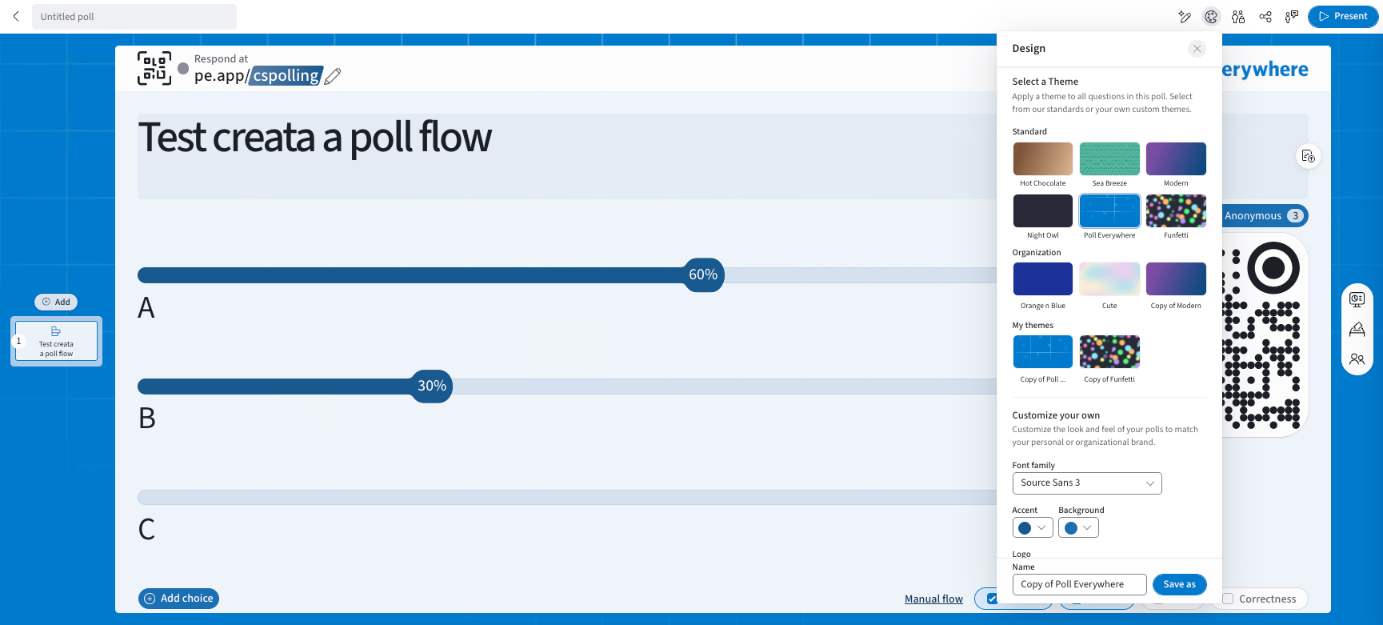
Select Design in the top bar.
- Select a Theme applies a theme to every question in the poll. Choose from:
- Standard themes: Hot Chocolate, Sea Breeze, Modern, Night Owl, Poll Everywhere, Funfetti
- your Organization's themes
- My themes
- Customize your own: change the Font family, Accent and Background colours, upload a Logo or background image, give the theme a Name and select Save as.
Set your default theme in My settings → Defaults → Default theme. Admins can set an organization default in Organization settings → Defaults.
Response settings
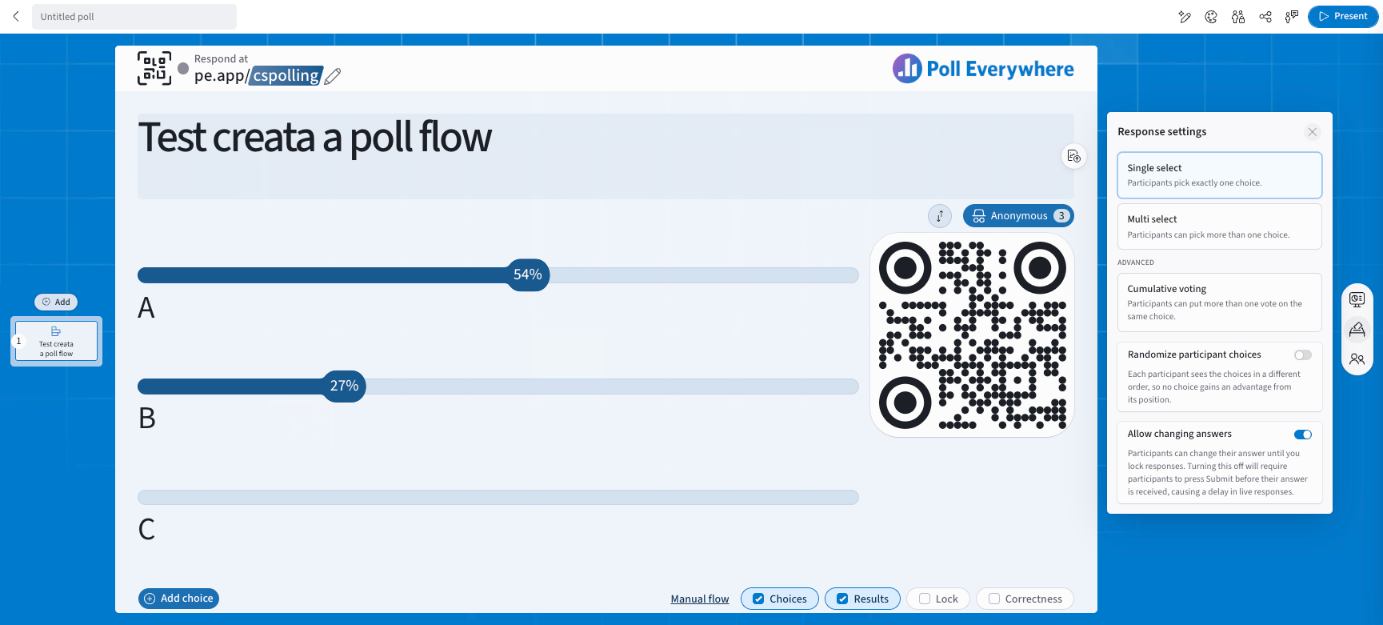
Open Response settings on the right rail. The options depend on the question type.
Multiple choice
| Option | What it does |
|---|---|
| Single select | Participants pick exactly one choice. |
| Multi select | Participants can pick more than one choice. |
| Cumulative voting (Advanced) | Participants can put more than one vote on the same choice. |
| Randomize participant choices | Each participant sees the choices in a different order, so no choice gains an advantage from its position. |
| Allow changing answers | On: participants can change their answer until you lock. Off: participants press Submit and the answer is final. |
Open ended (Word cloud, Q&A)
| Option | What it does |
|---|---|
| Single submission | One response per participant. |
| Multiple submissions | Any number of submissions, or Limit to N submissions per participant. |
| Allow changing answers | As above. |
Clickable image: Single response or Multiple responses (any number, or limit to N).
Set defaults for each type in My settings → Defaults → Response settings.
Timers and reveal
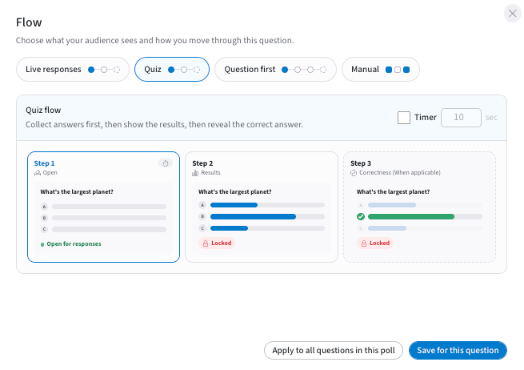
Select the flow name on the bottom bar (e.g. Manual flow) to open Flow.
- Tick Timer and enter the number of seconds.
- Choose a flow:
- Live responses: everything shows from the start.
- Quiz: collect, then results, then correct answer.
- Question first: question only, then choices, then results, then correct answer.
- Manual: you control each step.
See Question Flows in Poll Everywhere 2.0 for details.
Leaderboards
Competitions include Leaderboard slides that rank participants by points. See Competition in Poll Everywhere 2.0.
If you have any questions or run into issues, please contact the Technical Support team.