
In this article:
Admin Reporting provides organization-level insights into presenter activity, participant engagement, LMS course usage, and team activity. These reports help you understand how Poll Everywhere is being used across your organization.
Admin Reporting is available under Reports → Admin Reporting.
Note: The location of Admin Reporting may change as we continue improving navigation, but it will always remain accessible under the Reports section.
Available Admin Reports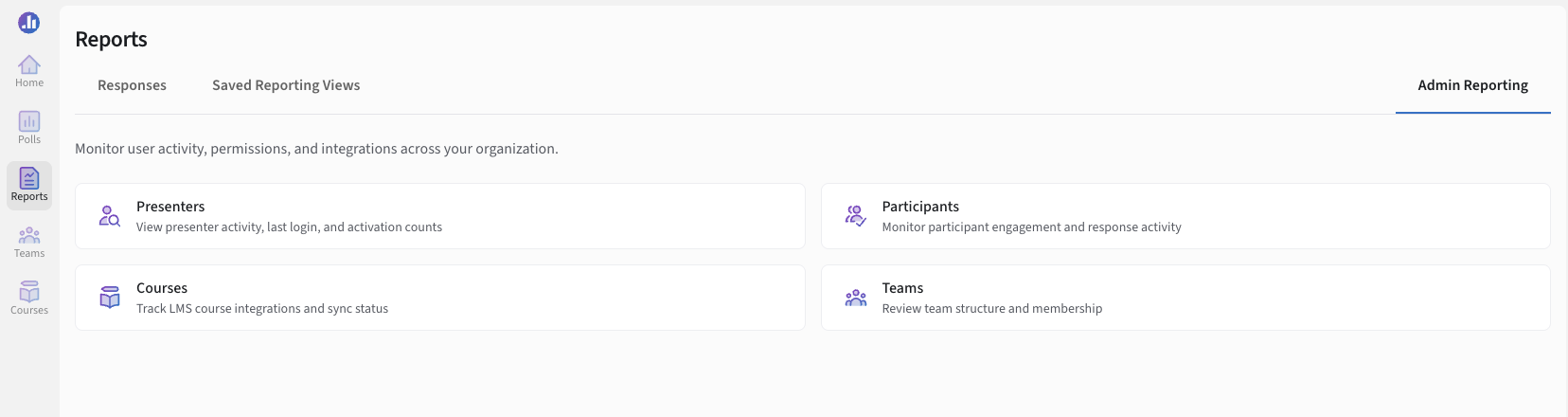
Admin Reporting includes four report categories:
Presenters
Participants
Courses
Teams
Each category includes charts, tables, and filters that help you view and analyze account-wide activity.
Presenter Report
The Presenter report shows all presenters in your organization. It highlights how frequently they activate or create activities over a selected time period.
The report defaults to the last 30 days. You can switch to a previous calendar month, depending on how much historical data is available. Team filters allow you to include or exclude specific groups.
This report is useful for understanding tool adoption, verifying presenter activity during events or terms, and identifying accounts that may need training or support.
Participant Report
The Participant report summarizes who has responded to polls within the selected date range. It includes charts for response activity and a list of participants who engaged with activities during that time.
Use this report to monitor engagement trends, review audience participation, or analyze response volume during specific events or courses.
Courses Report (LMS Reporting)
The Courses report provides insight into activity within LMS-connected courses such as Canvas, Blackboard, or Moodle.
For each course, you can view:
Overall activity charts
The list of course instructors
Linked Poll Everywhere activities
Associated teams or groups
This report helps you monitor LMS integration health, confirm instructor setups, and understand which courses actively use Poll Everywhere.
Teams Report
The Teams report provides a view into activity across all teams in your organization. A member is considered active if they have created, activated, or responded to an activity during the selected period.
This report helps you compare activity across departments, identify active teams, and determine where additional onboarding may be helpful.
Note: Reporting data collection is relatively new, so some organizations may see limited historical data or sparse charts for older date ranges. As more activity accumulates, reports will automatically become more complete and detailed.
Need help or have questions? Contact our support team