
You don't need to rebuild a question you've already written. Duplicate this slide makes a copy inside the same poll, and Copy from another poll brings questions in from any poll you own or that's shared with you.
In this article
Duplicate a slide
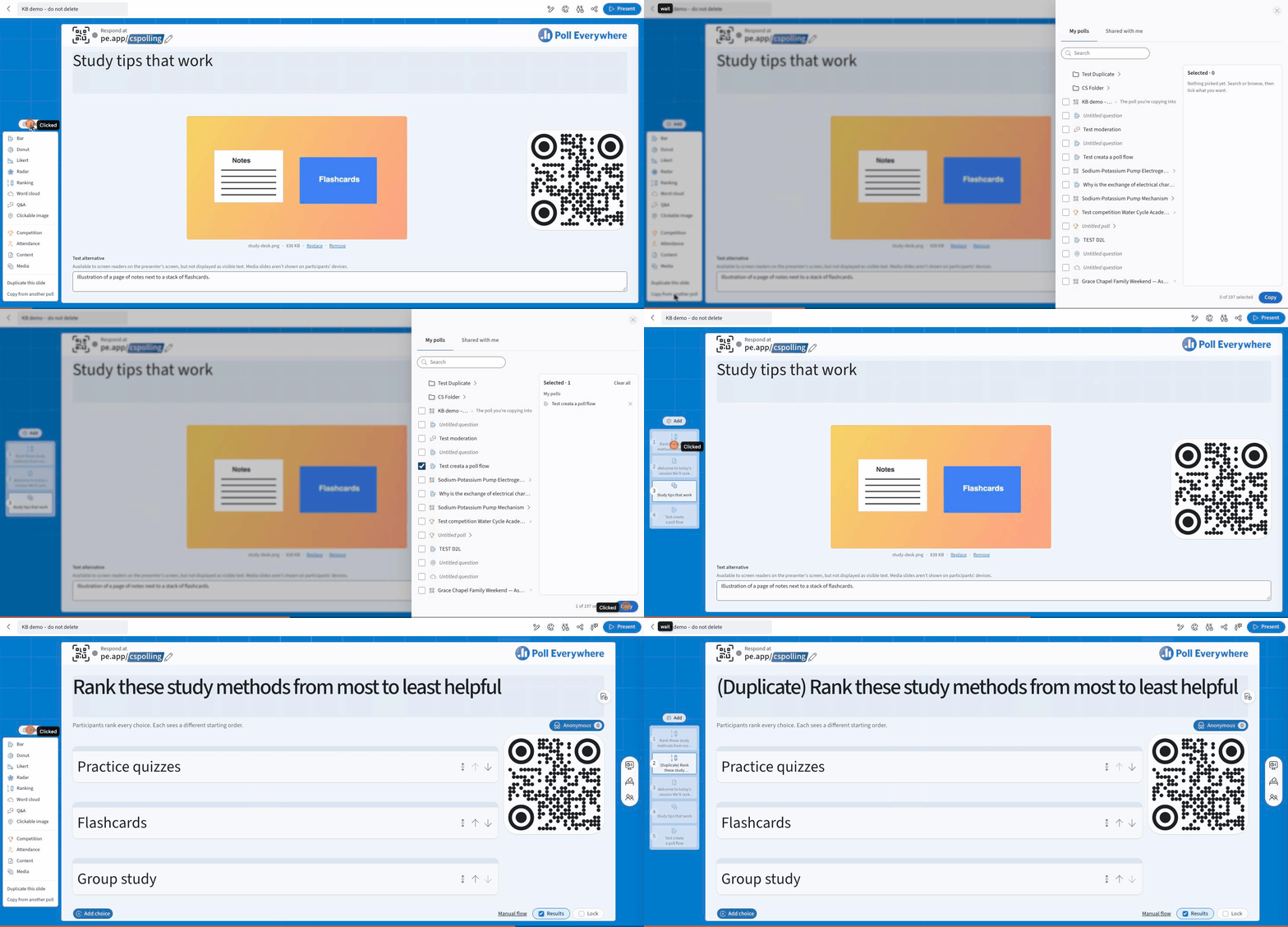
- Open the poll and select the slide you want to copy in the slide pane.
- Select Add at the top of the slide pane.
- Choose Duplicate this slide.

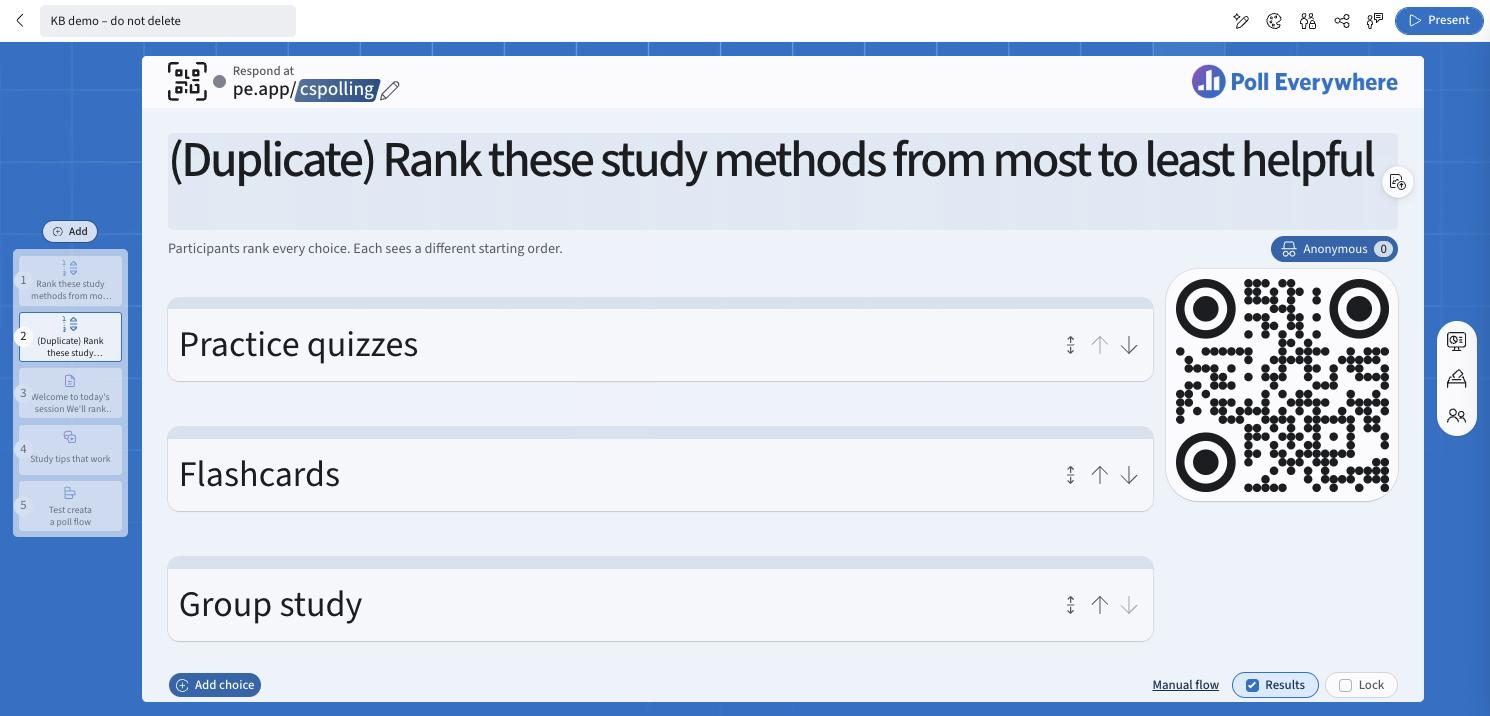
The copy appears directly after the original, with (Duplicate) at the start of its title. Edit it as you would any question.
Copy questions from another poll
- Open the poll you want to add questions to.
- Select Add in the slide pane and choose Copy from another poll.
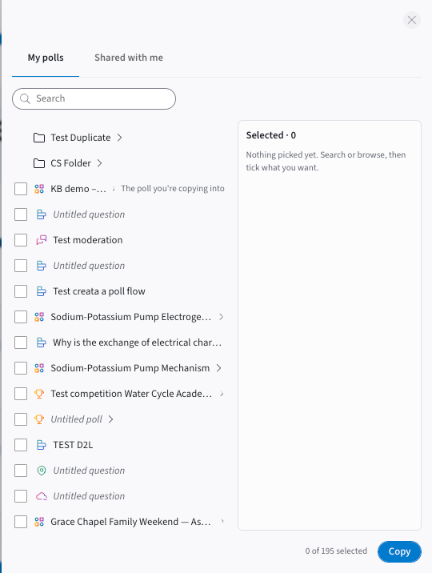
- In the panel that opens, browse My polls or Shared with me, or use Search. Open a folder or a multi-question poll (select ›) to pick individual questions.
- Tick each question or poll you want. Your picks are listed under Selected. Select Clear all to start again.
- Select Copy. A progress panel shows the copy running and then Complete. Select Close.
The copied questions are added to the end of your poll. The poll you're copying into is marked The poll you're copying into in the list.
What gets copied
- The question, its choices, its visualization and its settings are copied.
- Responses are not copied. The copy starts with no responses.
- The original question is not changed.
Related: Create a Poll · Organizing your content with folders
If you have any questions or run into issues, please contact the Technical Support team.